- Home >
- Best Gaming VPN >
- VPN for PS5


Get the Most Secure VPN for PS5 and PS4
- Access games and apps not available in your region.
- Improve connection speed and reduce lag.
- Stay safe from DDoS attacks while gaming.


Why Do You Need a VPN on PlayStation?
.webp)
With a gaming VPN for PS5, you can be sure that no one can see your gaming activities – not the government, your ISP, or anyone. Besides, you can enjoy lag-free gaming with no ISP throttling and other nuisances.
Join Game Servers Anywhere in the World
With 100+ locations to choose from, Mysterium VPN for PS5 is your tool to join game servers in any part of the world. If you want to play with friends on the opposite side of the globe or just wish to find a less laggy server, use Mysterium VPN for PS5!
Avoid DDoS Attacks
A VPN for PS5 hides your real IP address, protecting you from annoying DDoS attacks. Even if someone figures out your IP during a competitive gaming session, their attempts at disrupting your game will be futile. All the traffic will be routed to a VPN server instead of you.
No ISP Throttling
Your internet service provider (ISP) might throttle your connection if it sees that you are gaming. This is especially true for bandwidth-intensive games. By using a VPN for PS5, you will make your activities invisible to your ISP, thus preventing throttling.
Protect All Your Devices
Mysterium VPN is not just a VPN for PS5. It is available on nearly every operating system under the sun. Encrypt your internet connection on Windows, macOS, Android, and iOS. Gaming or not, keeping your data private is a must in today’s world!
How To Set Up a VPN for PlayStation
Unfortunately, PlayStation consoles do not natively support VPN services. Although you can not install a VPN for the PS5 app directly to your console, you can use various methods to get a secure connection on PlayStation.
By the way, the same instructions can be applied to your Xbox console!
Connect VPN to a Router
Connecting a VPN to a router is an efficient way to keep all your devices safe. To connect a VPN for PS5 to a router:
- Check if your router is compatible with VPN connections (look for WireGuard or OpenVPN support in the specifications).
- Download OpenVPN configuration files from your VPN provider.
- Access your router via a web browser (the address is usually 192.168.1.1 or 192.168.0.1).
- Navigate to the VPN settings section.
- Upload the VPN configuration file and save the settings.
- Enable the VPN connection by pressing “Enable”, “Connect”, or similar.
Connect via Windows PC
Another way to connect your PS5 to a VPN is by sharing your network connection via a Windows device. To share your VPN connection with your PS5:
- Launch Mysterium VPN and connect to a location of your choice.
- Go to Windows settings, then “Network & Internet”, and finally “Mobile hotspot.”
- Toggle “Share my Internet connection with other devices” to On.
- Choose WiFi as the sharing method.
- Under “Related settings,” press “Change adapter options.”
- Right-click on your VPN connection and press “Properties.”
- Go to the “Sharing” tab and check “Allow other network users to connect…”
- In the dropdown, select your hotspot adapter.
- Turn on your PS5 and go to network settings.
- Connect to the hotspot that you just created on your Windows device.
Connect via Mac
If you have a Mac computer and wish to use a VPN for PS5, sharing your internet connection via your Mac is a viable option. To do so:
- Connect to the Internet via Ethernet or USB Tethering.
- Launch Mysterium VPN and connect to a location of your choice.
- On your Mac, go to “System Settings” and type “Sharing” into the search bar.
- Select “Internet Sharing” on the left.
- Set “Share your connection from:” to Ethernet or iPhone USB.
- With “To computers using:” check “Wi-Fi.”
- Click “Wi-Fi Options” below, name your WiFi network, set security to “WPA2 Personal," and choose a password.
- Check the “Internet Sharing” box on the left and click “Start” when prompted.
- Turn on your PS5 and go to network settings.
- Connect to the Wi-Fi you just created on your Mac.
Can You Use a Free VPN for PS5?
Many free VPNs are available, and you might wonder – why purchase a VPN when you can obtain one for free?
The answer is simple: if something is free, you are the product. Free VPNs manage to keep their (mostly) weak infrastructure running by selling your data. This is the opposite of what a reliable VPN does. Instead of keeping your data private and secure, they use it to fuel their VPN services.
Additionally, free VPNs can often feel sluggish or unreliable because of weaker infrastructure, which can be frustrating when you need a stable connection for your gaming session.
That is why you should not go for free VPNs to keep peace of mind while gaming. Mysterium VPN for PS5 is a reliable choice, and it is ready to run in just a few clicks.
How to Choose the Best VPN for PlayStation?
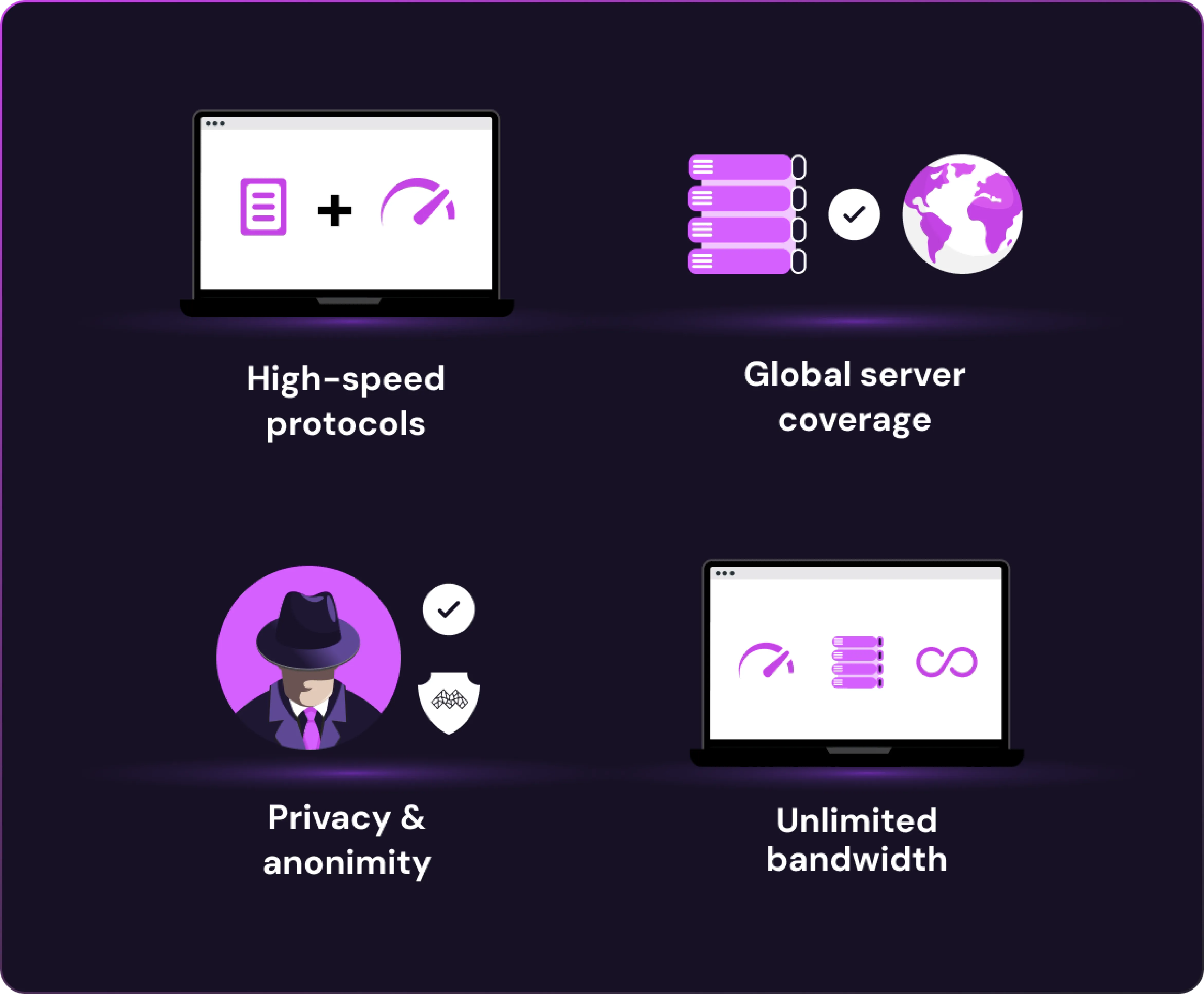
A great VPN for PlayStation needs to prioritize both performance and security while offering flexibility for gamers around the world. When choosing a gaming VPN, here are the key features to look for:
- High-speed protocols: A fast VPN ensures low ping and lag-free gaming. Mysterium VPN uses the cutting-edge WireGuard protocol to deliver lightning-fast connection speeds that are ideal for competitive play.
- Global server coverage: To match with different regions or access geo-restricted content, you need servers worldwide. Mysterium offers access to 100+ locations, so you can game from virtually anywhere.
- Privacy and anonymity: Stay protected from DDoS attacks and unwanted tracking. Mysterium’s decentralized architecture shields your IP address and minimizes centralized data collection.
Unlimited Bandwidth: Enjoy long gaming sessions without throttling or usage caps.
Protect Yourself Online. Try Mysterium VPN Risk-Free!